Wednesday, 1 August 2012
Create Phishing Page
For this trick you would need a hosting account , you can get that easily.
t35, host1free, 110mb etc.
First go to the target site. In your browser select Save As from the File menu and save the site on your hardisk with name "login.htm" .
Alternatively right click on the page and click "view source" and
copy all of it and save them to a notepad file. Rename the file with
"login.htm".
Go to your hosting account and upload all the files to your server.
And you would see the fake page as it is.

Recuva 1.43.623 Recovry Software
Download Recuva 1.43.623
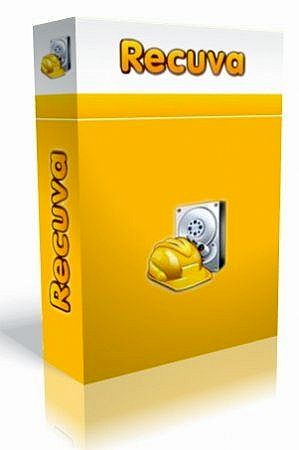
Recuva (pronounced "recover") is a freeware
Windows utility to restore files that have been accidentally deleted
from your computer. This includes files emptied from the Recycle bin as
well as images and other files that have been deleted by user error from
digital camera memory cards or MP3 players. It will even bring back
files that have been deleted from your iPod, or by bugs, crashes and
viruses!
- Simple to use interface - just click 'Scan' and choose the files you want to recover
- Easy to use filter for results based on file name/type
- Simple Windows like interface with List and Tree view
- Can be run from a USB thumb drive
- Restores all types of files, office documents, images, video, music, email, anything.
- Supports FAT12, FAT16, FAT32, exFAT, NTFS, NTFS5 , NTFS + EFS file systems
- Restores files from removable media (SmartMedia, Secure Digital,
MemoryStick, Digital cameras, Floppy disks, Jaz Disks, Sony Memory
Sticks, Compact Flash cards, Smart Media Cards, Secure Digital
Cards, etc.)
- Restores files from external ZIP drives , Firewire and USB Hard drives
- It's fast, tiny and takes seconds to run!
Download From Here
Google Chrome 22.0.1221.0
Download Google Chrome 22.0.1221.0

Google Chrome is a browser that combines
a minimal design with sophisticated technology to make the web faster,
safer, and easier.
One box for everything
Type in the address bar and get suggestions for both search and web pages.
Thumbnails of your top sites
Access your favorite pages instantly with lightning speed from any new tab.
Incognito mode
Don't want pages you visit to show up in your web history? Choose incognito mode for private browsing.
Safe browsing
Google Chrome warns you if you're about to visit a suspected phishing, malware or otherwise unsafe website. Download Chrome From Here
Firefox 16.0 Beta 1
Download Firefox Firefox 16.0 Beta 1

The Web is all about innovation, and
Firefox sets the pace with dozens of new features to deliver a faster,
more secure and customizable Web browsing experience for all.
User Experience. The enhancements to Firefox provide the best possible browsing experience on the Web. The new Firefox smart location bar, affectionately known as the "Awesome Bar," learns as people use it, adapting to user preferences and offering better fitting matches over time.
Performance. Firefox is built on top of the powerful new Gecko platform, resulting in a safer, easier to use and more personal product.
Security. Firefox raises the bar for security. The new malware and phishing protection helps protect from viruses, worms, trojans and spyware to keep people safe on the Web.
Customization. Everyone uses the Web differently, and Firefox lets users customize their browser with more than 5,000 add-ons.
Download From Here
User Experience. The enhancements to Firefox provide the best possible browsing experience on the Web. The new Firefox smart location bar, affectionately known as the "Awesome Bar," learns as people use it, adapting to user preferences and offering better fitting matches over time.
Performance. Firefox is built on top of the powerful new Gecko platform, resulting in a safer, easier to use and more personal product.
Security. Firefox raises the bar for security. The new malware and phishing protection helps protect from viruses, worms, trojans and spyware to keep people safe on the Web.
Customization. Everyone uses the Web differently, and Firefox lets users customize their browser with more than 5,000 add-ons.
Download From Here
Subscribe to:
Posts (Atom)